Case Study
Craftyamigo: A Visual Builder for Physical Systems
Product Design
Context
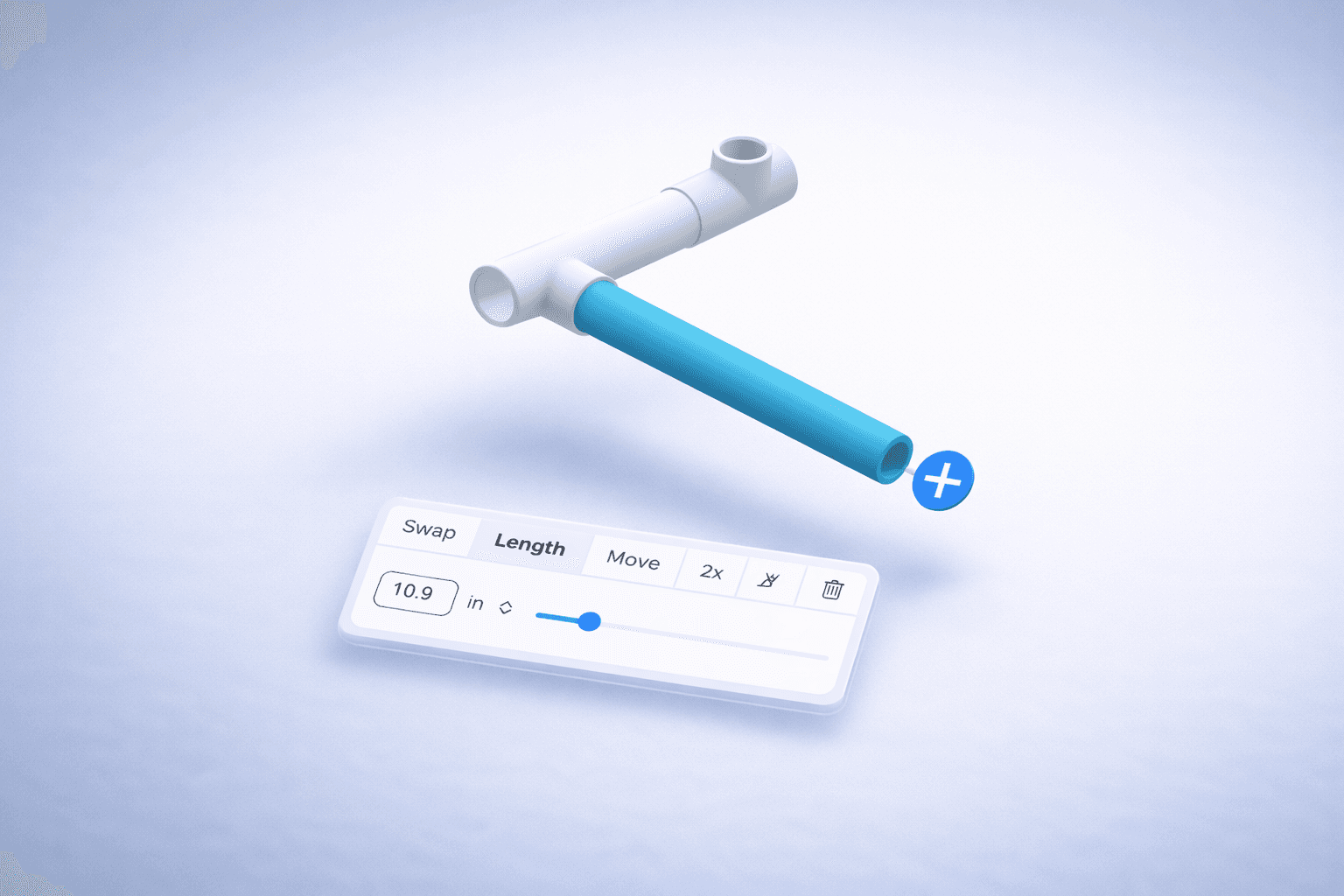
Craftyamigo is a free online tool for designing physical systems using standard, real-world parts found in any hardware store—ranging from ventilation ducts and HVAC layouts to PVC plumbing and modular structures.
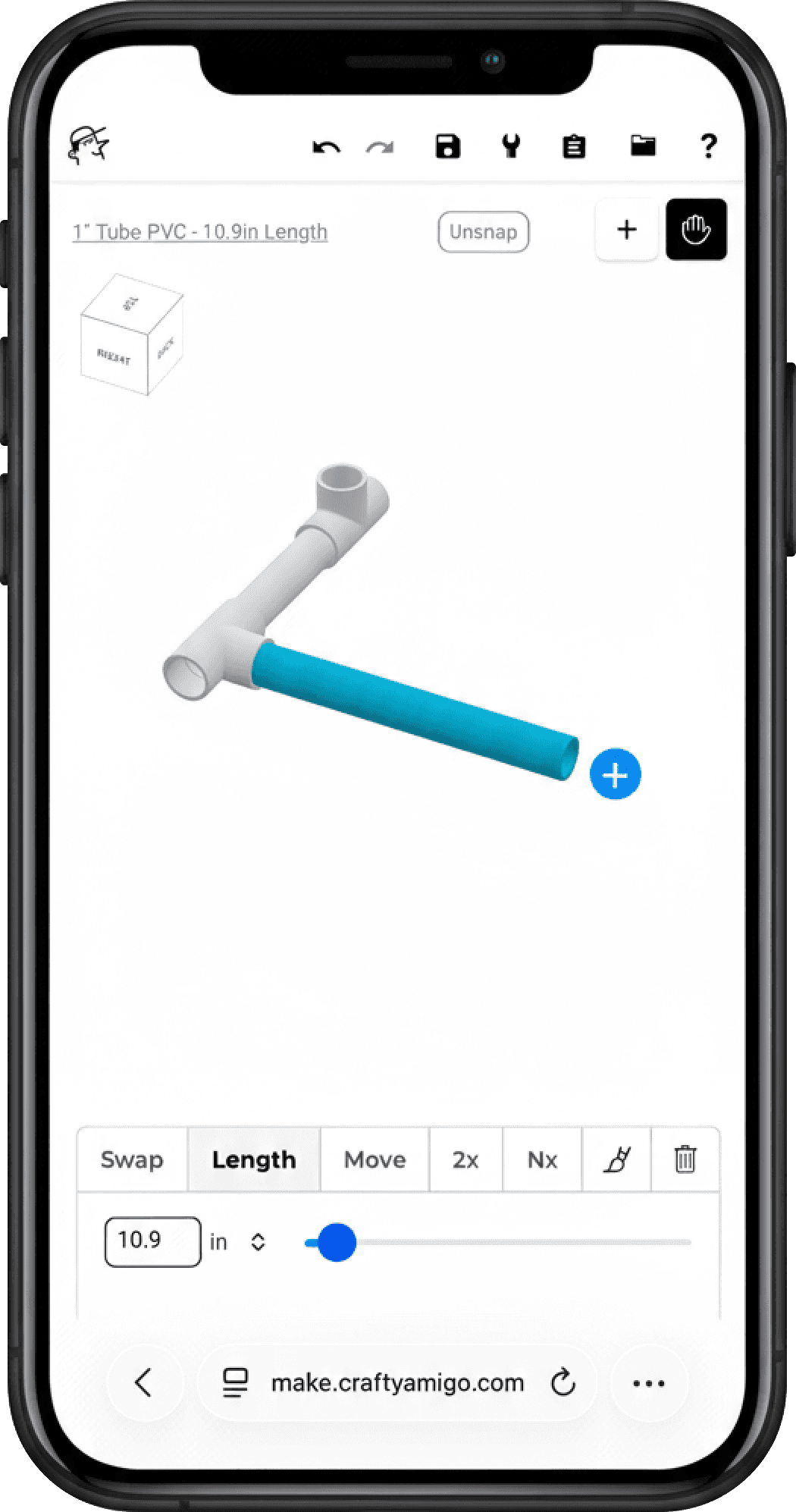
Instead of working with technical drawings or highly specialized engineering software, Craftyamigo runs entirely in the browser, allowing users to design directly and on the go without installations or complex setup.
Projects are built by selecting and connecting familiar, real-world components in a 3D editor, making the experience flexible enough for a wide range of use cases while remaining accessible to non-technical users.
I collaborated on the project during its early stages, working closely with the product owner to define the foundational interaction logic for the first MVP, shaping how the editor would behave at its core before the product continued evolving independently.
Challenge
Craftyamigo needed to support an open-ended way of building—allowing users to construct almost any configuration they had in mind—without relying on technical terminology, predefined flows, or rigid steps.
At the same time, the editor had to guide users toward valid actions, making it clear where to click next after every decision.
The challenge wasn’t about limiting possibilities, but about designing an interaction model that could suggest structure without imposing it, helping users move forward confidently while preserving the flexibility of a fully open system.
Interaction System
Rather than treating the editor as a collection of tools or menus, the experience was shaped as a system of interactions that respond directly to user intent. Every action—adding a part, extending a pipe, or changing direction—needed to feel immediate, spatial, and predictable.
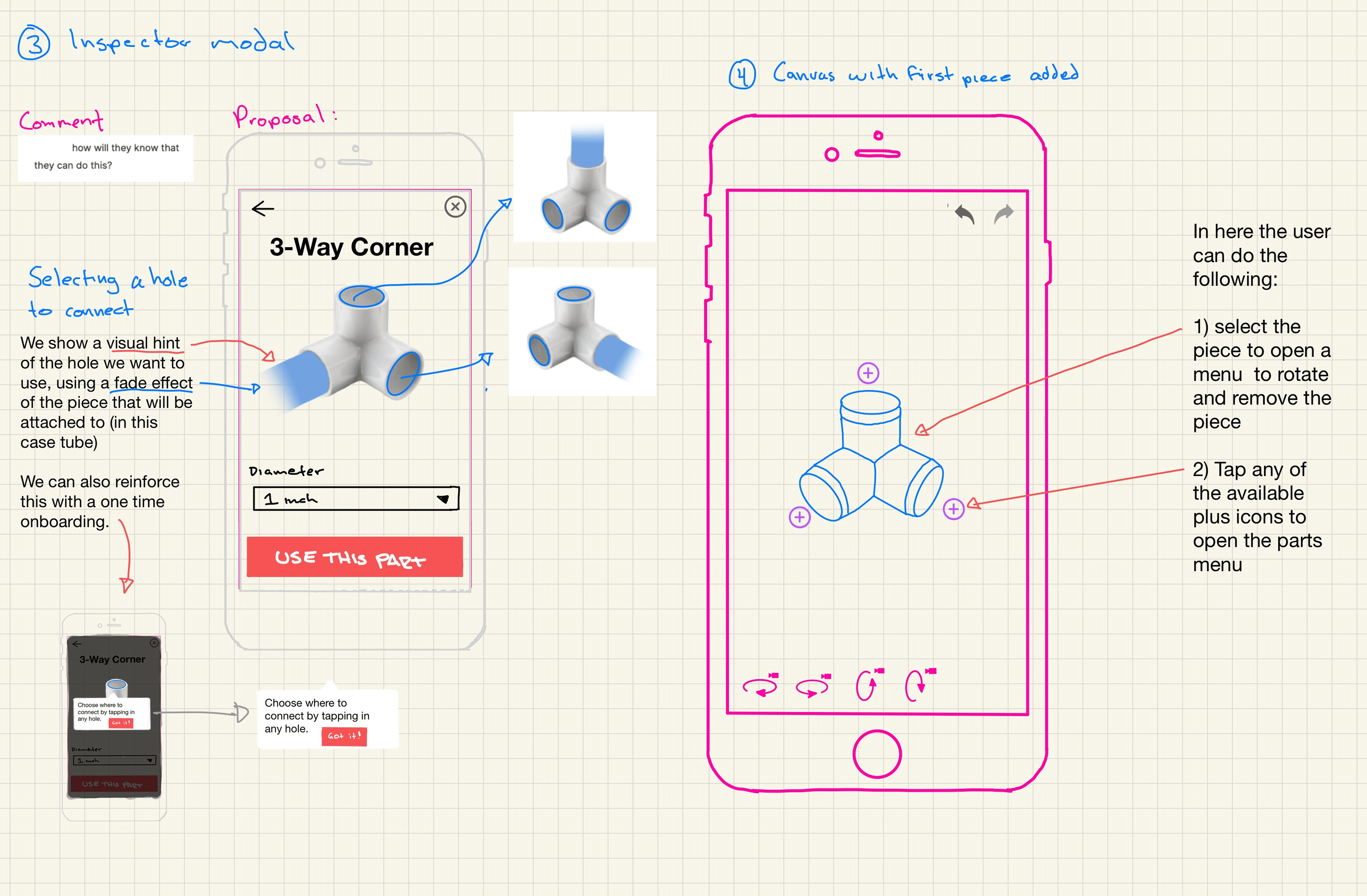
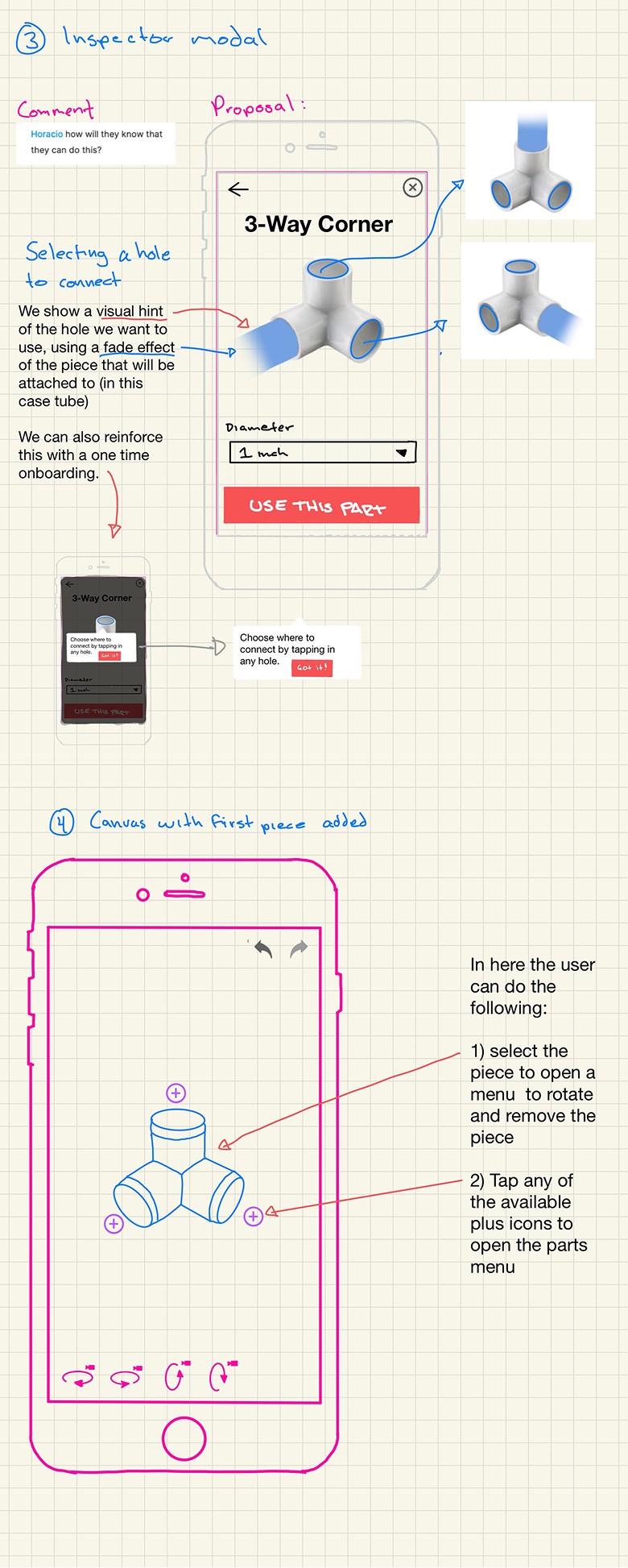
The interaction model was built around a simple principle: after each decision, the interface should clearly suggest the next valid action. Connection points, visual affordances, and contextual feedback helped guide users forward without interrupting flow or requiring explicit instructions.
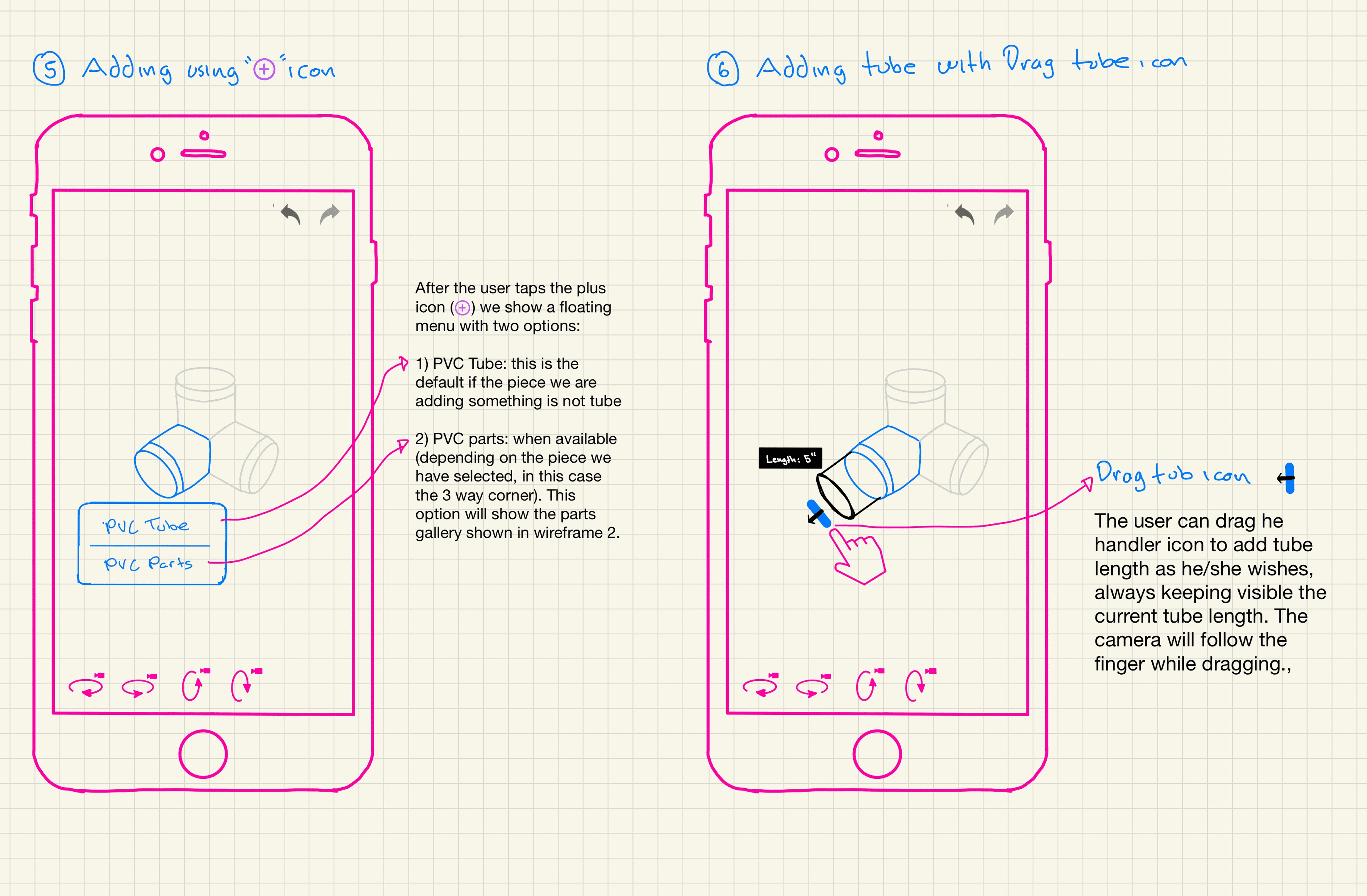
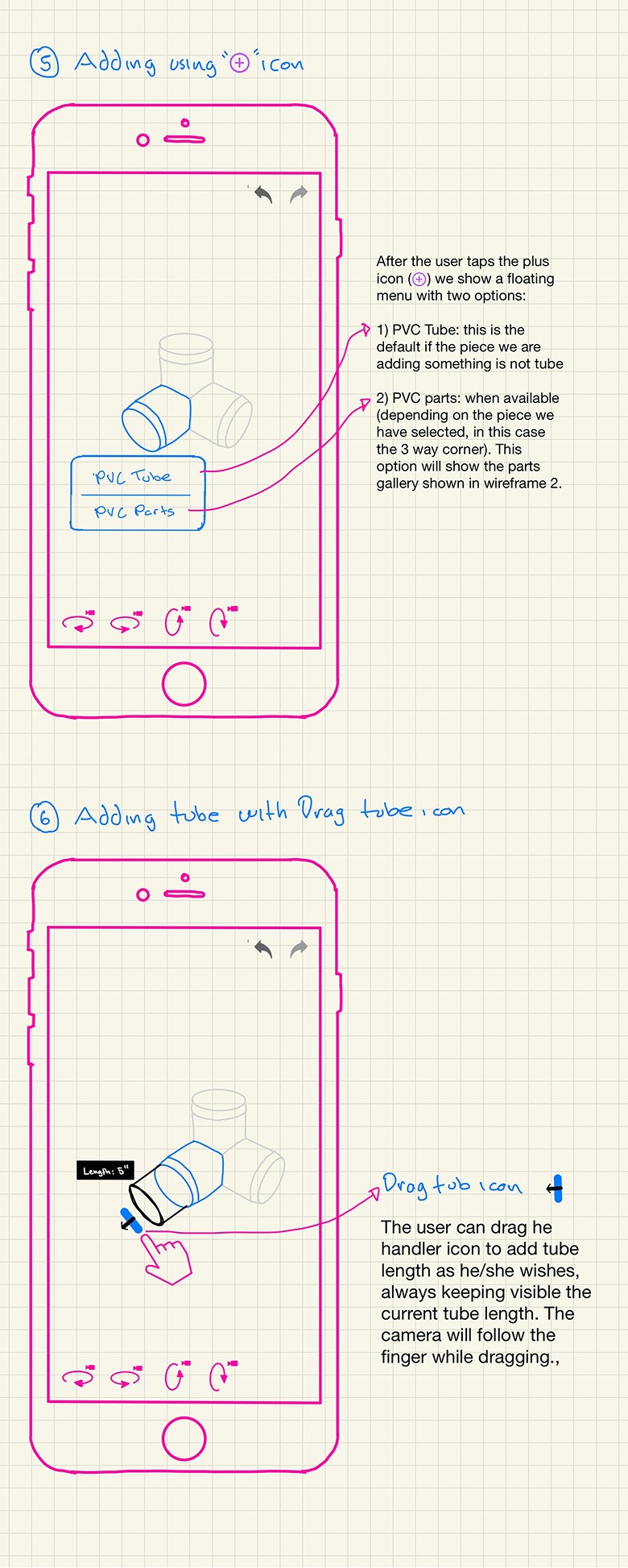
By relying on direct manipulation—tapping, dragging, rotating—the editor allowed users to think through construction by doing. The system stayed out of the way, offering guidance through behavior rather than explanation, and reinforcing progress through subtle visual feedback and micro-interactions as pieces connected and aligned.
Prototyping as a Thinking Tool
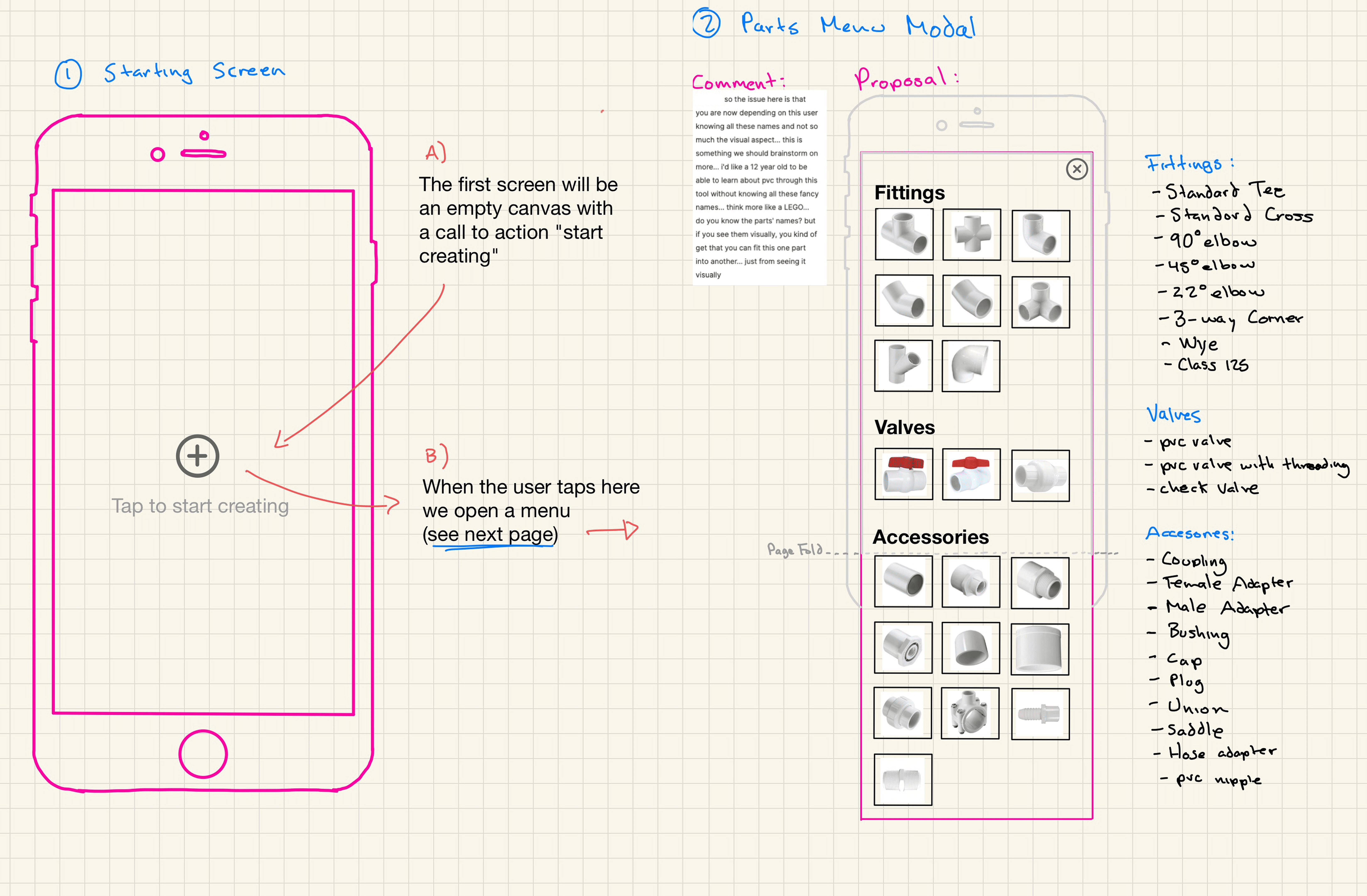
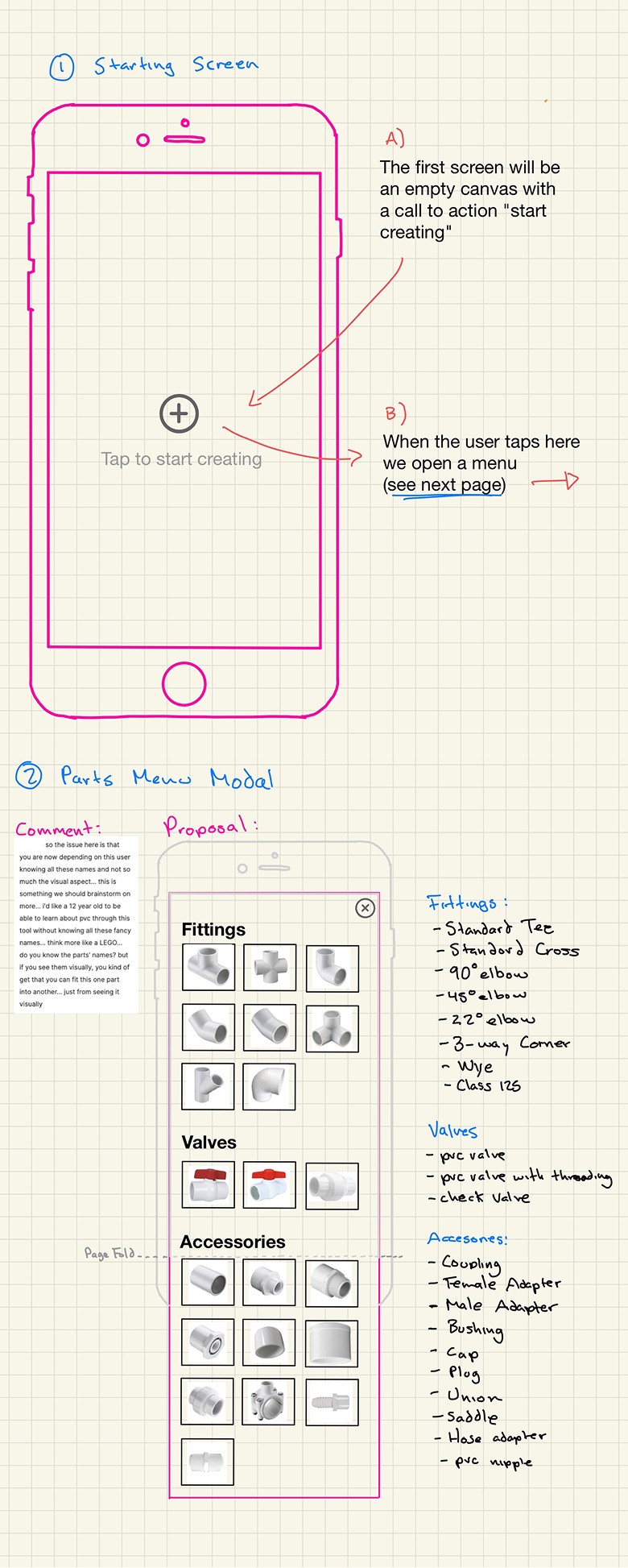
Early on, prototyping played a central role as a way to reason about behavior. Wireframes and low-fidelity explorations were used to test interaction rules, uncover edge cases, and validate whether the system could remain intuitive as complexity increased.
Rather than documenting every possible scenario, prototypes helped surface questions quickly: how connections should behave, how guidance should appear without interrupting flow, and how much freedom the system could offer without becoming confusing. This approach allowed more focused conversations to center on how the editor should work
By keeping prototypes lightweight and iterative, the design process stayed flexible, making it possible to explore complex interaction logic early—before committing to implementation.
Reflections
This project was shaped by practical constraints. As an early MVP, the focus was on defining a clear and coherent interaction model rather than building a fully featured editor.
Many decisions prioritized flexibility, clarity, and feasibility over completeness, allowing the core system to take shape without over-engineering.
Designing Craftyamigo reinforced the importance of thinking in systems—especially when working with open-ended tools. The experience highlighted how much complexity can be absorbed by interaction rules, visual guidance, and feedback, rather than instructions or configuration.
It also strengthened my belief in prototyping as a way to explore behavior early, and make confident decisions before implementation.
Credits
Lead Product Design → Oliva Meg
Product Direction and Creator → Navid Safabakhsh
Other work

© 2026 Oliva Meg
Designed with Figma and Published with Framer